WordPress vs Shopify: Which Platform Fits a Malaysian Online Store?
Compare WordPress with WooCommerce and Shopify for a Malaysian online store. Review setup, costs, payments and upkeep to choose the platform that fits.

On this page9 sections
Both WordPress and Shopify can help you sell online. The difference becomes clearer when you ask three everyday questions: who looks after the store, what do we pay each year, and can it handle the way we sell?
With WordPress and WooCommerce, you choose more of the parts and arrange their upkeep. With Shopify, you pay for a hosted platform, then add the features your store needs. Neither removes the work of preparing products, helping customers and handling orders.
Start with your business routine. A shop selling twenty straightforward products has different needs from a wholesaler with customer prices, stock connections and several approval steps.
WordPress is the website; WooCommerce adds the shop
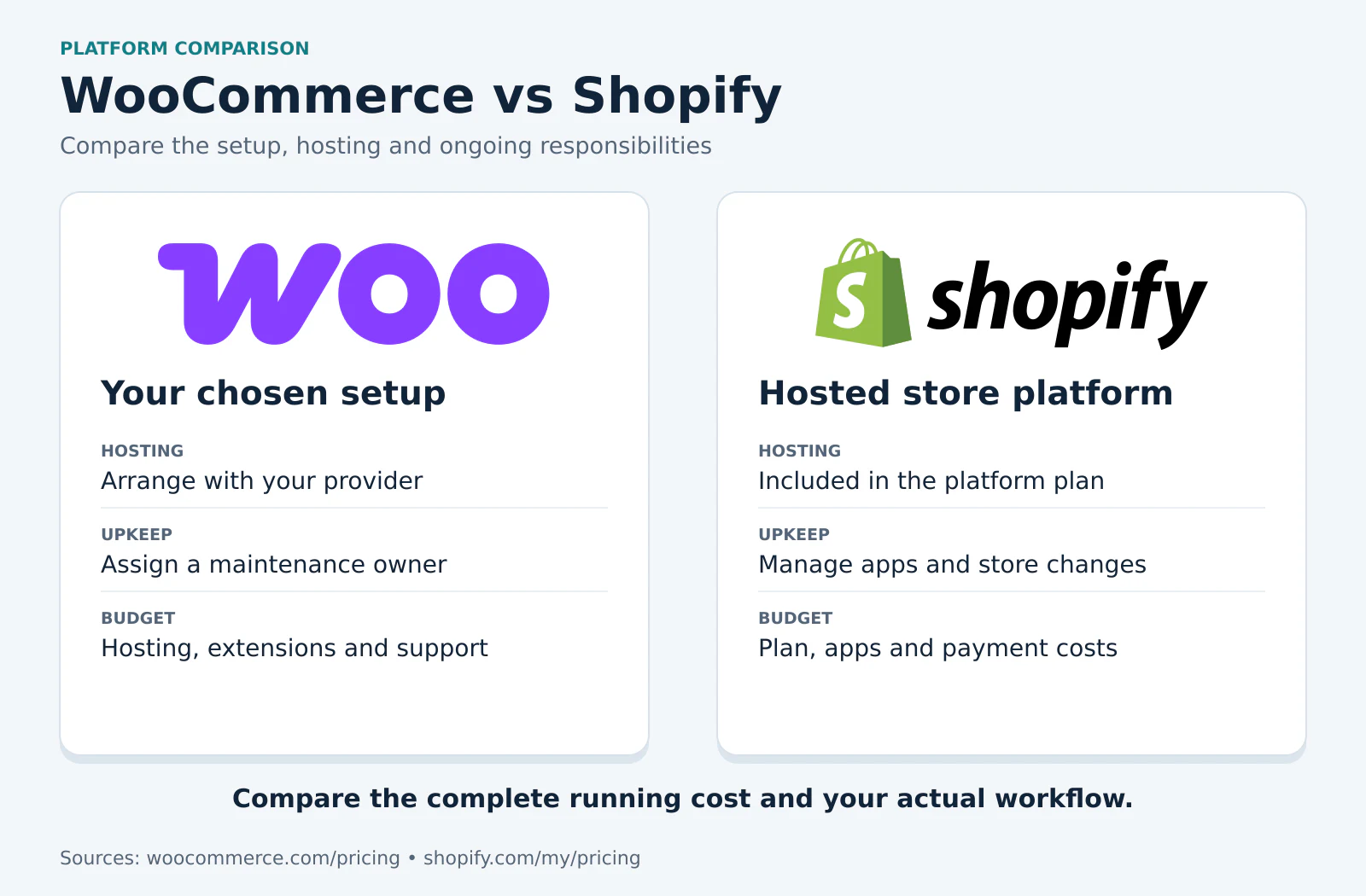
WordPress manages the website and its content. WooCommerce adds the store functions. Its core software is free and open source, while hosting, development, paid extensions and maintenance are separate costs.[1]
That can be useful when you already have a WordPress website or need the store to work closely with a lot of content and custom functions. But somebody must look after the setup. Decide whether that will be your team, a developer or a maintenance provider.
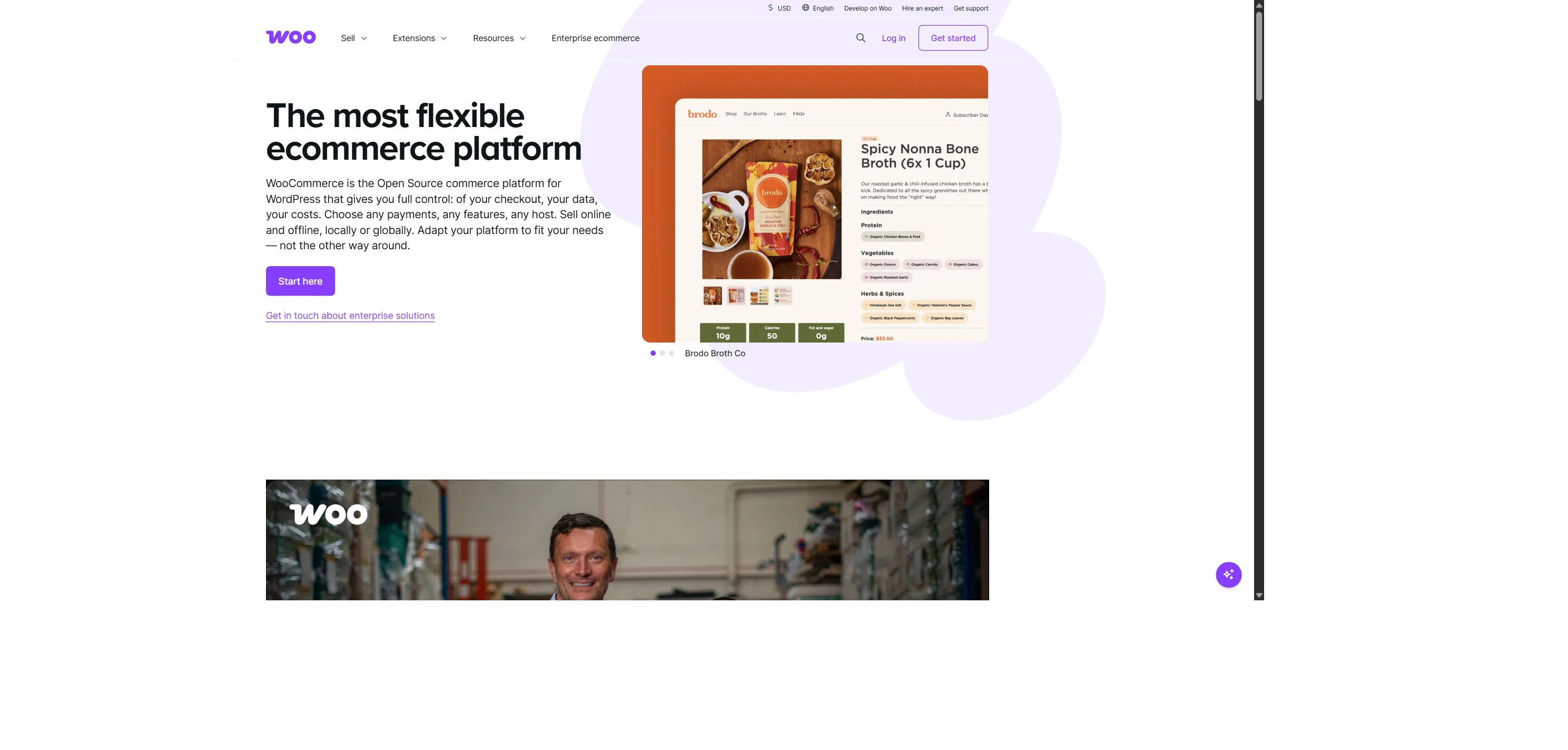
Shopify includes hosting in its platform subscription. Your chosen plan, apps and other services determine the final setup and bill.[2] It can make some parts easier to manage, but you still need to check whether the features fit your store.
Look at the monthly bill and the yearly commitment
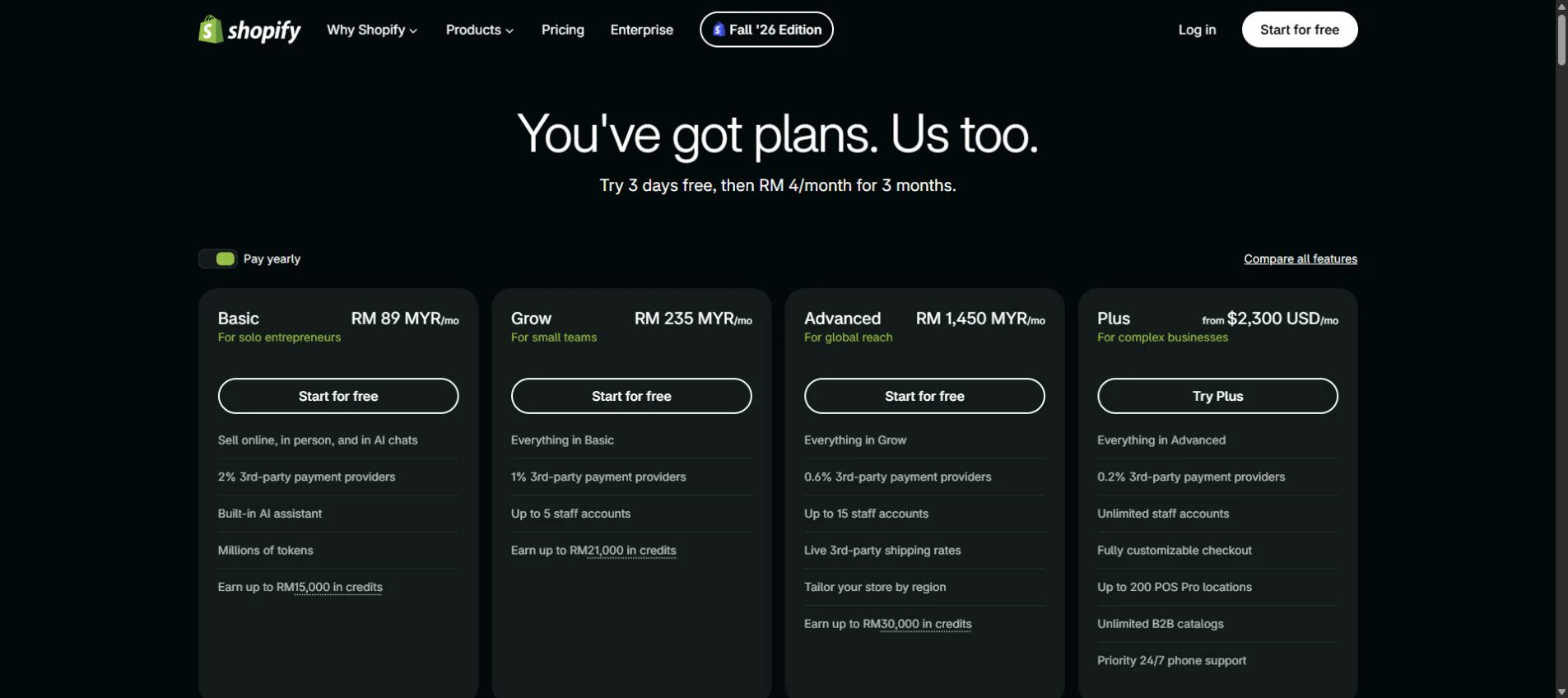
Shopify's live Malaysia pricing page showed these prices on 1 November 2026:[2]
| Plan | Paying monthly | Monthly equivalent with yearly billing |
|---|---|---|
| Basic | RM99 | RM89 |
| Grow | RM259 | RM235 |
| Advanced | RM1,590 | RM1,450 |
The annual price is a monthly equivalent; the plan is billed yearly.[3] Check the current checkout total and tax treatment before subscribing.
For WooCommerce, ask for the same complete picture. What does hosting cost? Which paid plugins are necessary? Who installs updates and fixes a problem? What renews next year?
For Shopify, add any paid apps, domain, setup work and support to the subscription. A low base plan can become a different bill once the store needs several extra services.
Ask for year one and year two side by side. The build cost may finish, while subscriptions and maintenance continue.
Check the payments your Malaysian customers need
Before approving the design, confirm the payment methods. Can customers pay in the way they expect? What happens after a failed payment or a refund?
As checked on 1 November 2026, Malaysia was not on the supported-country list for Shopify Payments. A Malaysian business should therefore check eligible third-party providers.[4] Shopify displayed third-party transaction fees of 2% on Basic, 1% on Grow and 0.6% on Advanced. Where applicable, these are additional to the provider's processing charges; payment-method exceptions and terms matter.[2][5]
With either platform, ask for the whole payment cost and a test of the actual checkout. A payment logo on the page does not tell you whether the integration handles refunds, delayed confirmations and order updates correctly.
Our Malaysian payment gateway guide explains the questions to ask before choosing a provider.
The cheap plugin bundle can be tempting
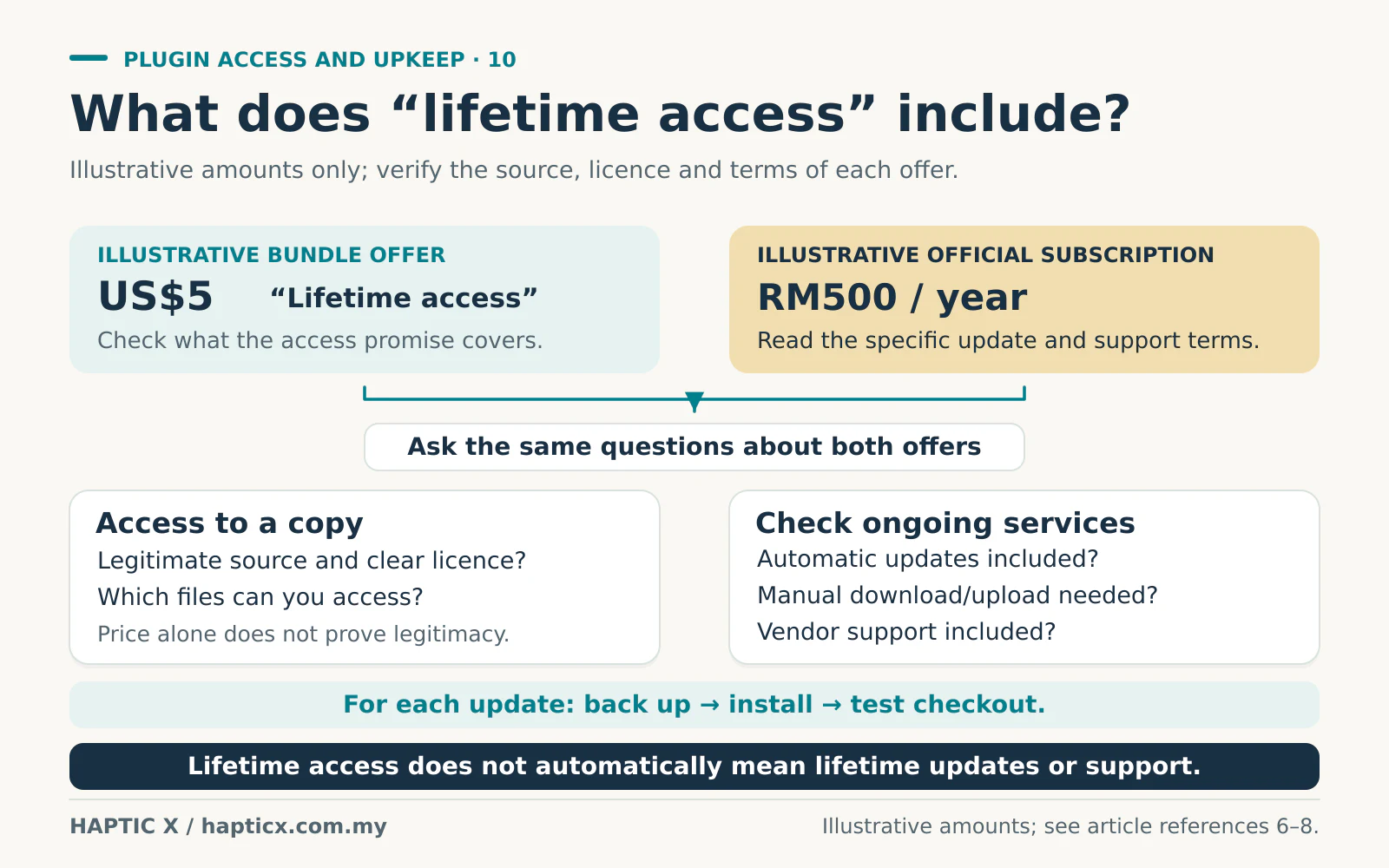
Imagine a US$5 plugin bundle advertised as “lifetime access” beside an official plugin subscription costing RM500 a year. Those are hypothetical offers, but the temptation is familiar: why pay more if the feature looks the same? Ask what “lifetime” actually covers. Access to a downloaded copy is different from a promise of future updates and support.
First check what each offer includes. Can you get updates directly? Who helps if checkout stops working after an update? Is the software unchanged, and are the licence terms clear?
WordPress uses the GPL, and some redistribution can be legitimate.[7] A discounted or redistributed plugin is not automatically cracked or infected. However, software rights and the original vendor's update and support services are different things. WooCommerce's subscription documentation explains the update and support benefits attached to an active subscription.[8]
Avoid tampered packages or sellers who cannot explain the source. The saving becomes less attractive when your staff spend a day chasing a broken checkout and nobody takes responsibility. WordPress recommends trusted software sources and a maintained installation.[6]
Also ask how you will receive the next update. Some redistributed packages do not include the original vendor's automatic-update service. You may have to obtain a legitimate updated copy and install or upload it manually. That means backing up the store, checking compatibility and testing checkout after the change. If somebody must repeat that work every time, include their time in the saving you think you are making.[6][8]
Sometimes the best saving is simply removing a plugin you do not need. Pay for the functions that solve a real problem, with a clear way to maintain them.
Who handles the work after launch?
| Everyday job | What to agree before choosing |
|---|---|
| Add products and variations | Can your administrator do it comfortably? |
| Change a delivery rule | Is it a setting, an app change or development work? |
| Update software | Who checks that the store still works afterwards? |
| Fix an order or payment problem | Who investigates the website, app and gateway parts? |
| Add a new feature | What will it cost to build and keep running? |
WooCommerce gives you flexibility, with responsibility for the hosting and software arrangement. Shopify handles its hosted platform, while your apps, content, staff access and integrations still need attention.
A useful demonstration is simple: give the proposed setup to the person who will run the store. Ask them to add ten products with sizes and photographs, update stock and find an order. Watch where they need help. That tells you more about the daily workload than a feature checklist alone.
Choose the setup that fits your next stage
If you already use WordPress, publish a lot of content and have dependable maintenance support, WooCommerce is worth considering. You can assess the specific plugins and development needed for your workflow.
If a hosted store and a more standard selling process suit your team, Shopify is worth considering. Confirm the required plan and apps before committing to the subscription.
If either proposal needs many workarounds, pause and review the scope. Describe one normal order and one difficult order. Include a discount, a refund, a stock change and the information your staff need afterwards. Ask the provider to show how those steps work.
Bring us your products and your normal order process
Tell Haptic X what you sell, how staff handle orders and which parts take too much time. Our eCommerce website service can help you compare a setup you can run, maintain and afford as the business grows.
Sources
Official sources checked on 1 November 2026. The Shopify MYR figures above use the live Malaysia pricing page. Recheck the current checkout and billing terms before subscribing.
- WooCommerce, platform pricing: https://woocommerce.com/pricing/
- Shopify Malaysia, live pricing page and public screenshot: https://www.shopify.com/my/pricing
- Shopify Help Center, pricing and billing overview: https://help.shopify.com/manual/intro-to-shopify/pricing-plans/pricing-overview
- Shopify Help Center, supported countries for Shopify Payments: https://help.shopify.com/en/manual/payments/shopify-payments/supported-countries
- Shopify Help Center, third-party transaction fees: https://help.shopify.com/en/manual/your-account/manage-billing/billing-charges/types-of-charges/third-party-charges/third-party-transaction-fees
- WordPress Developer Resources, security hardening: https://developer.wordpress.org/advanced-administration/security/hardening/
- WordPress, licence: https://wordpress.org/about/license/
- WooCommerce, managing extension subscriptions: https://woocommerce.com/document/managing-woocommerce-com-subscriptions/activate-and-manage-your-subscriptions/
Frequently asked questions
01Is WooCommerce cheaper because the software is free?
It can be good value, but you still pay for the setup and running costs. Compare the complete bill and the work someone must do.
02Does Shopify mean we never need technical help?
No. Hosting is included, but integrations, apps and significant changes may still need support.
03Is every cheap plugin unsafe?
No. Check its source, licence, updates and support. Price alone does not tell you whether the software is legitimate or suitable.
04Should we take the annual Shopify price immediately?
Confirm the plan and required integrations first. The lower monthly equivalent comes with an annual billing commitment.
05Can we change platforms later?
Yes, with a migration plan. Products, images, customer information, orders and URLs all need checking; moving them is a separate piece of work.