How Much Does an eCommerce Website Cost in Malaysia?
Understand ecommerce website prices in Malaysia. Compare design, product setup, payment integration and ongoing costs to plan your online store budget.

On this page10 sections
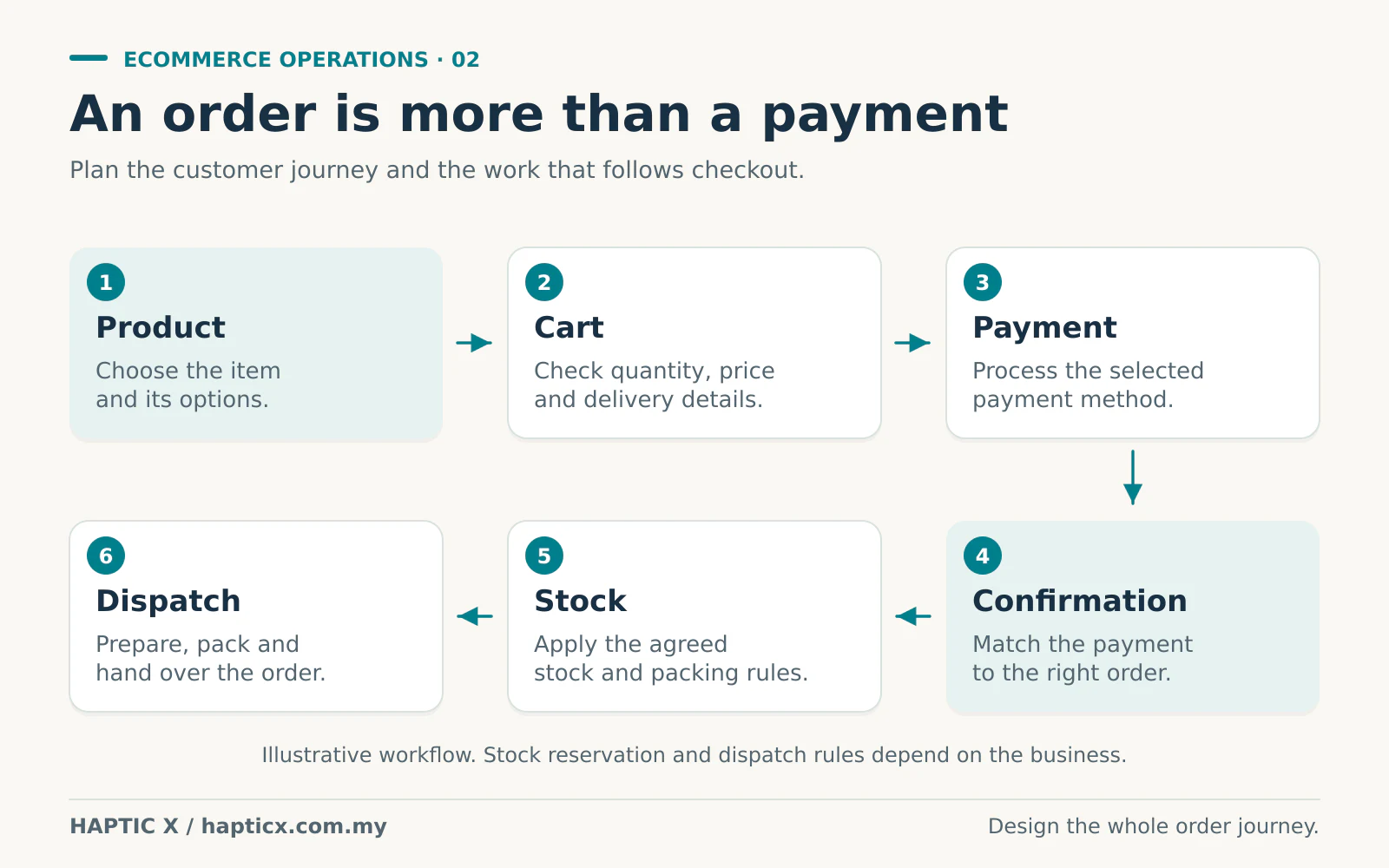
An online store should let a customer choose a product, pay the correct amount and receive the right order. Your staff should also know what to pack, where to send it and what to do if something changes.
That sounds obvious. But the details are where the cost comes from.
Selling a ready-made T-shirt is different from selling a sofa with fabric choices, delivery zones and different lead times. Both can have a product page and an “Add to Cart” button. They need different rules behind the button.
Before asking for the cheapest store, ask: can this store handle the way we actually sell?
What is a reasonable starting budget?
Haptic X currently publishes these eCommerce package starting prices.[1]
| Published package | Starting price | How to use the figure |
|---|---|---|
| Starter | RM3,500 | A starting point to discuss a smaller, defined store scope. |
| Growth | RM6,500 | A reference for comparing a broader set of requirements. |
| Custom | RM15,000 | A starting point for a tailored scope; complexity can take it higher. |
These are Haptic X's published starting prices, not national averages or a promise that every store fits one of these totals. Ask for the current package inclusions and a written scope for your products, payments, delivery and operating needs.
The useful comparison is not “Which quotation has the lowest number?” It is “Which quotation includes the work we will otherwise have to pay for or do ourselves?”
“We only have 20 products.” How complicated are they?
Twenty simple items with one price each can be straightforward. Twenty made-to-order items can be a much bigger job.
Take a furniture shop. A customer chooses a sofa size, fabric and colour. Some combinations cost more. Some are in stock; others need to be ordered. Delivery to an apartment may have different arrangements from delivery to a landed house.
Now the website needs to reflect those rules clearly. Otherwise, the customer pays an amount that your staff later have to correct by phone.
The same applies to printing businesses. Does the price change with quantity, material, size and finishing? Does the customer upload artwork? Must your staff approve it before accepting payment? A normal product catalogue and an online quotation workflow are different scopes.
Also clarify who prepares the catalogue. A platform that allows many products does not mean your developer will photograph, write and upload every product for you. Product data, images and descriptions take time, whoever does the work.

Start with the platform that fits the job
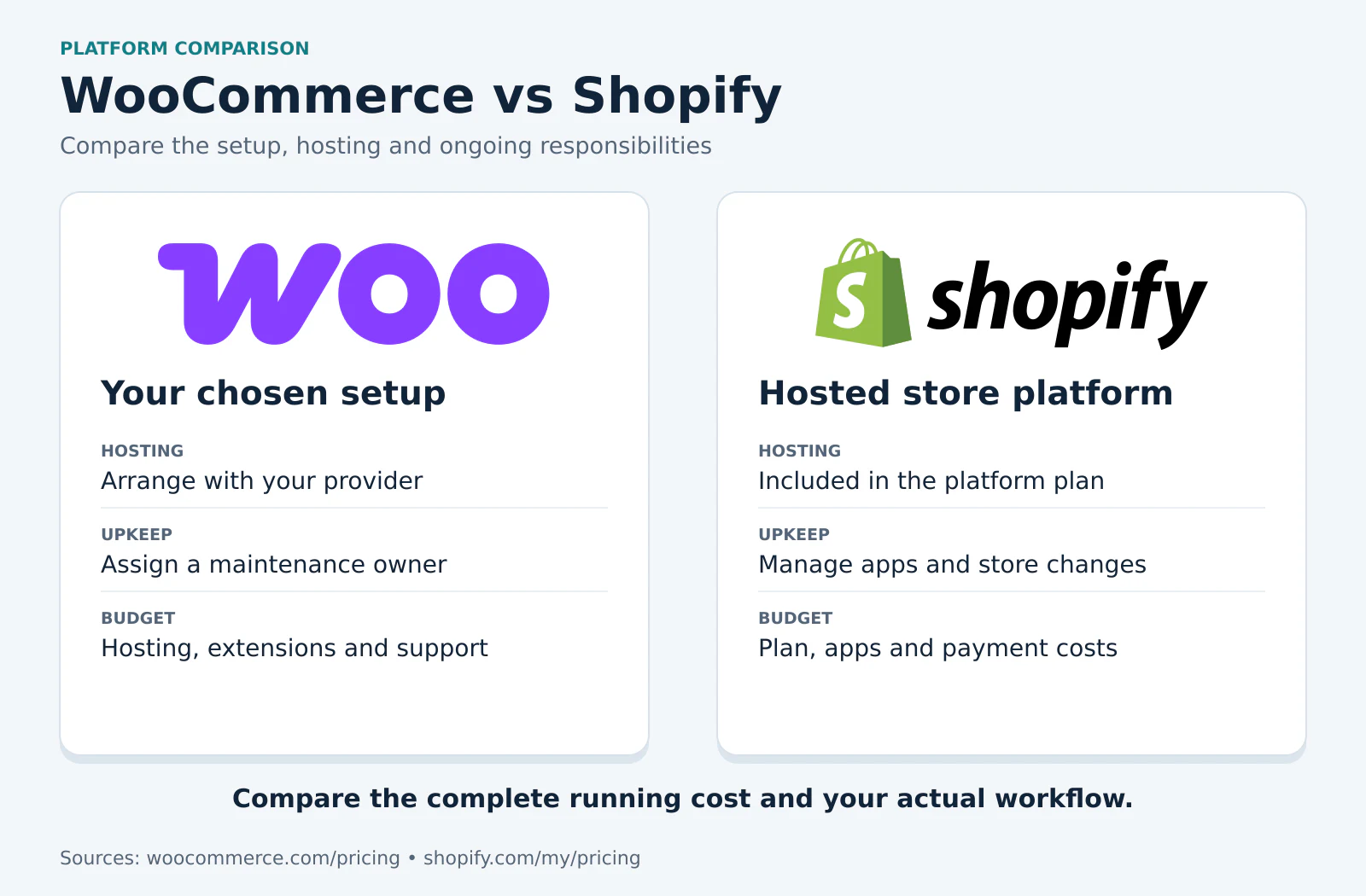
For standard products, normal checkout and common delivery arrangements, an established platform such as WooCommerce or Shopify may be a sensible place to start.
WooCommerce's core software is free, but hosting, paid extensions and payment services can still cost money.[2] A hosted platform has its own plan and service costs. Compare the actual functions and recurring charges in your proposed setup.
You do not need custom development simply because you want your shop to look different. You might need it when the operation has rules that standard tools cannot handle neatly: separate dealer pricing, artwork approval, production stages, unusual deposits or several systems that must exchange information.
Ask the developer to explain the gap. What exactly cannot be handled by the proposed standard setup? Is a small custom extension enough, or does the whole workflow need a separate application?
Payment integration is not the same as payment fees
There are two different bills to understand.
The first is the development work: connecting the store to a payment provider, configuring it and checking the checkout process. The second is the provider's operating charges for processing payments, settlements or other services under your agreement.
Paying for the website does not automatically pay those ongoing charges. Depending on the Shopify plan and payment arrangement, third-party transaction charges may also apply alongside the payment provider's charges.[3] Check the current terms for your selected setup rather than assuming one universal rate.
Ask what happens when a customer pays but closes the browser before returning to your store. Does the order still update correctly? What about failed payments, duplicate notifications or a refund? A working payment button needs more than a successful demonstration once.
Your daily operations determine the integration work
Suppose an order arrives for five units. Must the website reduce stock immediately? Does that same stock serve your physical shop? Who creates the delivery note? Where should the payment reference appear?
If your staff can handle a small number of orders manually, a simple first version may be enough. If several people retype every order into different systems, a connection may be worth exploring.
An API is a way for those systems to exchange information. The work depends on the systems involved, the information being exchanged and the rules when something fails. “Connect to our stock system” should become an agreed list of actions and fields, not a vague line in a quotation.
For example, you may need orders to move into the stock system and available quantities to move back to the store. You also need to decide which system is the main record, so two systems do not overwrite each other with conflicting numbers.
What will you pay after the store launches?
Separate your budget into three parts.
| Cost group | Everyday examples | What to clarify |
|---|---|---|
| Initial work | Design, product setup, checkout, delivery rules, connections and training | What is included in the build, and what must you provide? |
| Recurring services | Domain, hosting or platform plan, extension renewals, maintenance | Who pays each bill, when does it renew, and what happens if it expires? |
| Usage or transaction costs | Payment processing, paid messages, delivery services and metered APIs | What triggers the charge, and which provider sets it? |
Photography, advertising, promotions and the staff time to fulfil orders belong in the business budget too. A store can be technically ready while the product information or fulfilment process is still unfinished.
For perspective, a hypothetical RM200 monthly service costs RM2,400 over 12 months. That arithmetic is not a quoted provider rate; it is a reminder to put recurring costs beside the initial price when comparing proposals.
A cheap store can become a repair bill every two weeks
Imagine having to ask for another paid fix every two weeks. A shipping rule is wrong. A discount does not apply correctly. Your staff cannot find the information needed to pack an order.
You pay for the correction, but the cost does not stop there. Someone must report the issue, explain the order, test the change and reassure the customer. Repeated interruptions can use up the saving from the original quotation.
A higher price is not proof of quality either. Ask what will be tested, what counts as an included defect fix and how changes are agreed. A proposal might, for example, allow one to three review rounds at specific stages. That is an example to discuss, not a standard Haptic X policy or a substitute for testing.
Before accepting the store, place sample orders on a phone. Check the delivery charge, the payment result, the stock update and the messages received by both customer and staff. Try an unsuccessful payment and an unavailable item too. Then confirm the handover: account access, basic training and a clear route for support.
You are paying for an order process your business can use. A good foundation still needs upkeep as products, platforms and operating rules change.
Show us one real order
Bring an example product, its options, a delivery address and the steps your team follows today. Include the awkward cases: a special price, a partial order or a customer changing a selection.
Explore Haptic X's eCommerce website development service. We can use those examples to discuss which functions belong in the first version and what should be priced separately.
Sources
Sources checked on 1 November 2026. Published prices and provider terms can change.
[1] Haptic X, eCommerce Website Design: current published package starting points and the distinction between setup and provider fees.
[2] WooCommerce, Pricing: free core software and separate hosting, extension and payment costs.
[3] Shopify Help Center, Third-party transaction fees: when platform transaction charges may apply alongside provider charges.
Frequently asked questions
01Can I start with a small store and upgrade later?
Yes, provided the first version handles your essential sales process properly. Share likely future requirements early, especially stock connections or dealer pricing. Adding them later may still involve development, data changes and testing.
02Why does a custom eCommerce store cost more?
It can involve extra work to define, build and test rules specific to your business. The useful question is whether those rules remove a real operating problem. Custom development is not necessary for every store.
03Does a website package include payment gateway fees?
Do not assume it does. Ask separately about setup work, payment provider charges and any platform charges. The provider's current agreement determines its fees, even when the website developer handles the integration.
04Is WooCommerce free to run?
Its core software is free.[2] Running a useful store can still involve hosting, extensions, payment services and maintenance. Request the proposed setup's actual cost list.
05Will my own store remove every sales-related fee?
No. You may change the costs you pay, but payments, delivery, software services and attracting customers can still require money. Compare the full operating picture rather than assuming an independently owned store has no recurring expenses.