WordPress vs Custom Website: Which Should Your Business Choose?
Compare WordPress and custom-built websites for your business. Weigh flexibility, editing, maintenance and integration needs before choosing your approach.

On this page10 sections
If you need a website to introduce your company, explain your services and receive enquiries, WordPress may do the job well. If you sell standard products through a normal online checkout, WordPress with WooCommerce may also be a practical choice.
So why would anyone pay for custom development?
Because some businesses need the system to follow a process that standard tools do not handle comfortably. The extra money should buy a useful capability: fewer awkward workarounds, the right calculations, clearer staff screens or a reliable connection between systems.
Choose based on the work your business needs done. A custom label alone is not a reason to spend more, and a familiar platform is not a reason to ignore a genuine limitation.
WordPress and custom development can overlap
WordPress provides content-management features and can be extended with plugins and custom development.[1] A WordPress website can have its own design. It can also contain a specially built function.
A custom application, meanwhile, may be built around your workflows using existing software components. It does not mean every piece of code must be invented from zero.
When someone quotes a “custom website”, ask what they mean. A unique visual design? A custom WordPress plugin? A separate business application? Those are different jobs with different costs and responsibilities.
The decision is often about which parts need tailoring, rather than choosing one label for everything.
When WordPress is the sensible starting point
Imagine a company that needs an About page, service pages, a project gallery, a blog and an enquiry form. Staff want to update photos and write news themselves.
Those are familiar content needs. A well-planned WordPress setup can be appropriate without commissioning a separate system for every function.
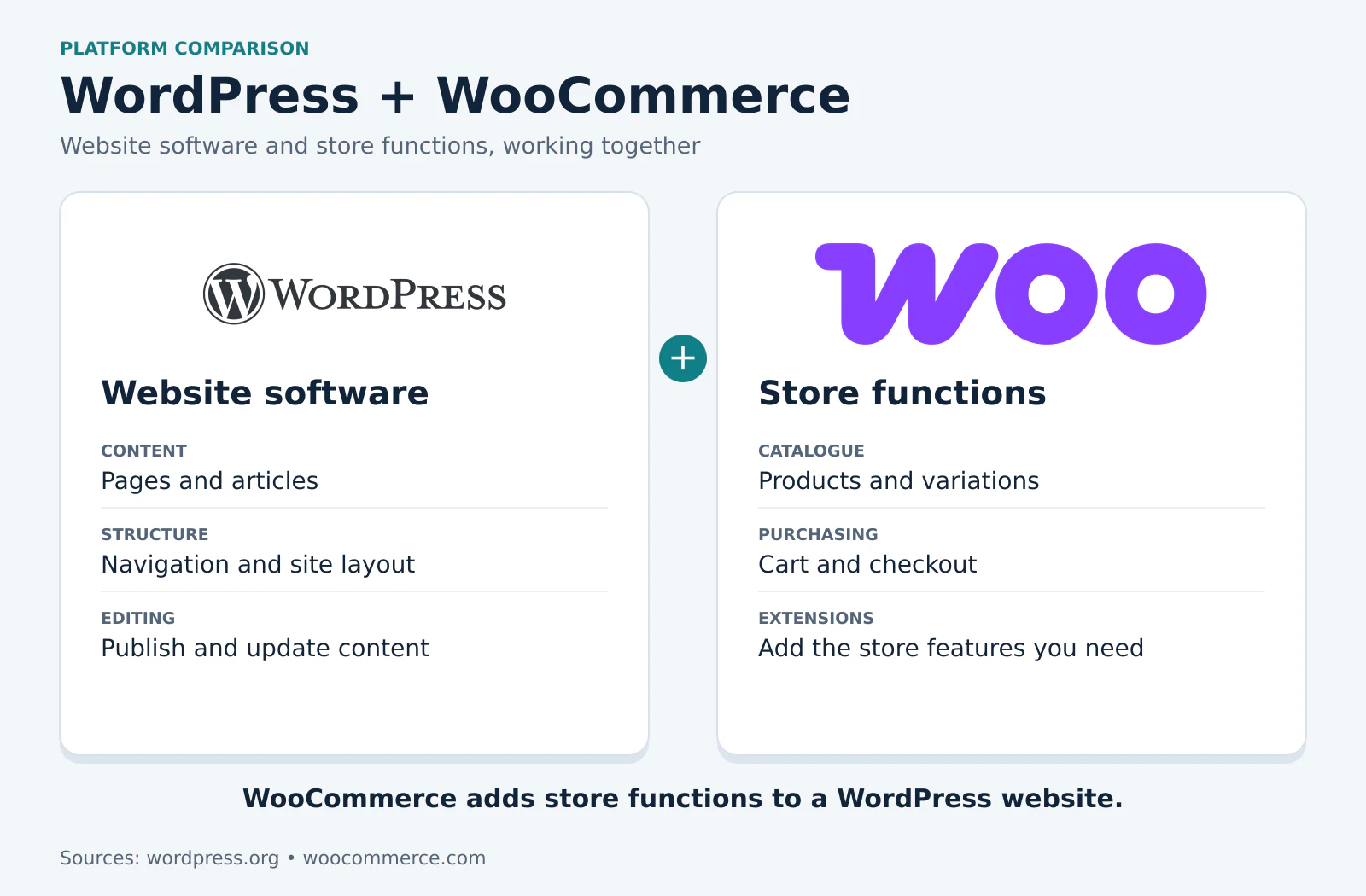
For a shop selling normal products, WooCommerce is another option to evaluate. Its core software is free, although hosting, extensions, payments and care can still create costs.[2] Free core software does not mean the finished shop builds or maintains itself.
Ask your developer to show how the proposed setup handles your actual job. Can your staff edit the right content? Is the mobile checkout usable? Can you export the information you need? A practical demonstration is more useful than arguing that one platform is always better.
Loyalty points and referrals are possible with WordPress
“Can customers earn points?” does not automatically lead to “You need a completely custom system.”
WooCommerce extensions can provide purchase rewards and referral-related features. Its Loyalty Press documentation is one example.[3] A suitable extension may offer good value when its rules match what your business needs.
The question becomes more interesting when your rules are specific. Perhaps different dealer groups earn different rewards, a returned item must reverse a commission, and the finance team must approve a payout before it becomes available.
An extension may already cover that. It may need a small modification. Or combining several tools may create too many exceptions for staff to manage comfortably.
Ask the developer to check the rules with you. Do not buy custom work just because someone says WordPress cannot have a loyalty programme. Equally, do not assume a plugin's feature name guarantees that it matches your exact programme.
Where custom development can make the working day easier
Take a business that quotes made-to-order products. Today, staff open a price sheet, calculate a discount, message a manager for approval, copy the result into a quotation and update another record after the customer confirms.
A tailored system could bring those agreed steps together. It could apply the correct pricing rules, request approval only when needed, keep the approved quotation and pass a confirmed order to the next person.
That is a concrete benefit to investigate. You are commissioning a function around the way the business needs to work, instead of paying someone to repeat the same manual steps indefinitely. The actual time saved should be checked against your process, not invented in a sales promise.
Custom screens can also focus each person's work. A warehouse assistant might need quantities and packing status, while a manager needs approvals. They do not necessarily need every menu in a general-purpose application.
For a complex workflow, having a clearly designed set of rules can be easier to manage than several overlapping tools with separate settings. But custom software still needs documentation, testing and a responsible maintenance arrangement. A poorly built custom system can create its own problems.

Paying for a function once can change the cost structure
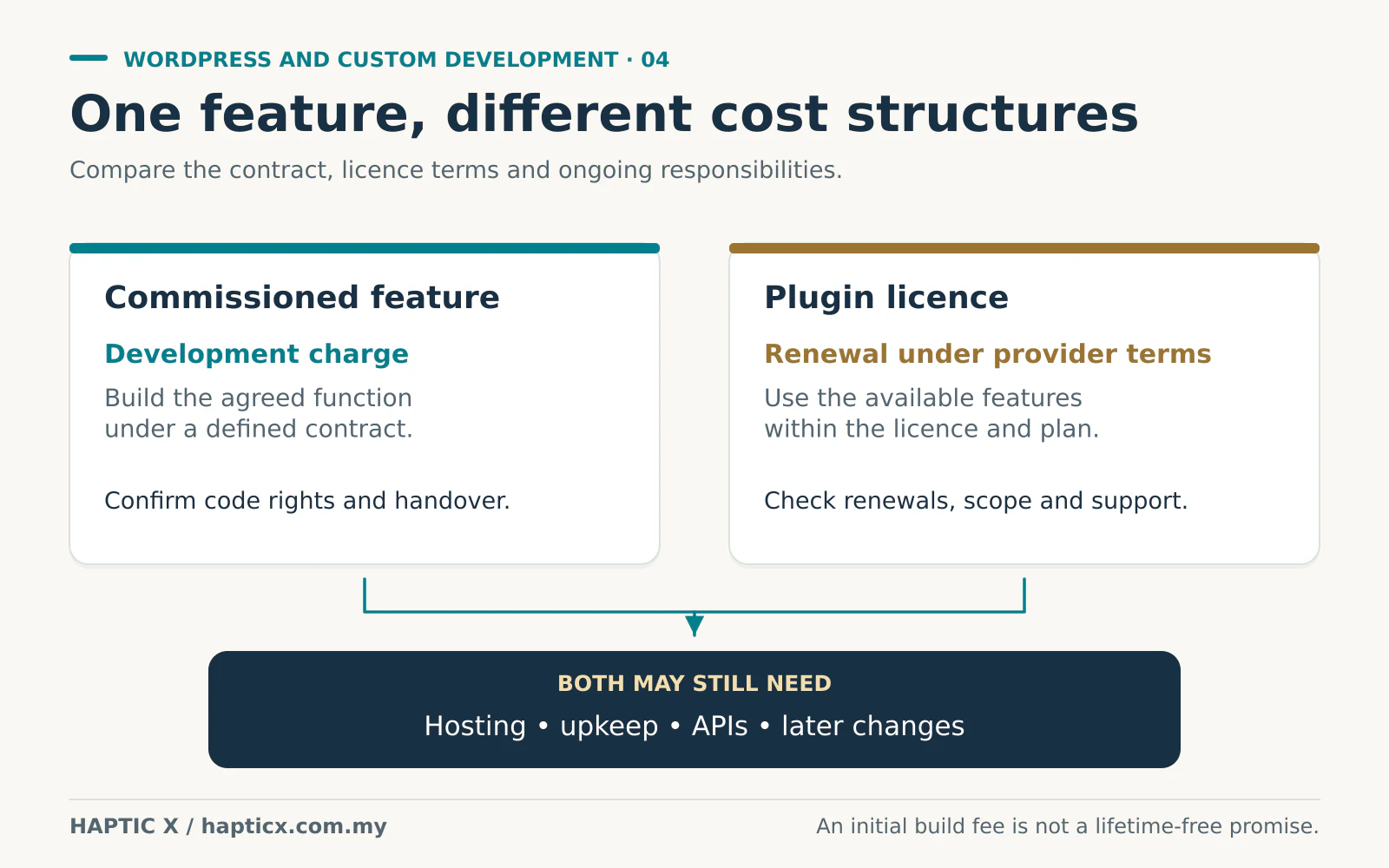
Suppose a standard setup uses a paid extension for a particular function. You may need to renew that extension according to its licence terms. A commissioned function may instead have an initial development charge, with later work handled under a separate support agreement.
That can be attractive when the function is important, the requirements are clear and the repeated licence cost is significant. You are paying to build the agreed behaviour rather than necessarily renting that same feature every year.
There are two things to check before calling it a saving.
First, what does the custom-development contract actually give you? Confirm the rights to use and modify the code, the handover and any third-party components. Do not assume source code ownership from the word “custom”.
Second, compare the full cost. Custom work may still need hosting, backups, security updates, API services and changes when the business or connected platforms change. It may also use components with recurring fees.
For a standard function, an extension can cost less overall than building and maintaining an equivalent from scratch. For a specialised function, custom work may be more appropriate. Put the initial cost and expected recurring costs side by side over a period such as three years, including the staff time spent on workarounds.
An API connection needs a clear job description
WordPress can integrate with other services too. Needing an API does not automatically mean replacing the whole website.
Explain the exchange you need. For example: “When an order is paid, send these details to our stock system. When stock changes, update the online quantity.” Then discuss what should happen if the connection fails or sends the same message twice.
The complexity lies in those rules and the systems involved. One supported connection can be straightforward; several unusual integrations may justify more tailored development. Ask which approach meets the requirement with a manageable amount of ongoing care.
Cheap work can keep charging you in time
You get what you pay for when the scope and the delivery are clear. A low initial price can become expensive if you pay for another correction every two weeks or keep asking staff to work around an unfinished function.
Each interruption has a cost beyond the invoice: explaining the fault, waiting, checking the change and dealing with affected customers. A higher quotation alone does not remove that risk. The evidence is a working process and a clear agreement about testing, changes and support.
For example, you could agree one to three review rounds at defined stages, with a distinction between correcting an agreed function and requesting a new one. This is an illustrative process, not a fixed Haptic X package policy.
Also ask for a useful handover. Can your staff edit what they need? Who controls the hosting and service accounts? How would another developer take over? Both WordPress and custom applications need ongoing security care; WordPress's own guidance treats this as continuing work.[4]
A well-built foundation may serve for years with upkeep. Neither approach gives you a maintenance-free website forever.
Bring the awkward part of your process
Show us the task that takes too many steps or causes repeated mistakes. That helps us discuss whether a standard setup, a small custom function or a separate application makes sense.
Explore Haptic X's corporate website development and custom software services. The aim is a system your business can use and afford to keep running.
Sources
Sources checked on 1 November 2026.
[1] WordPress, Features: content management, extensibility and custom development.
[2] WooCommerce, Pricing: free core software and separate operating costs.
[3] WooCommerce, Loyalty Press — Points & Rewards documentation: examples of purchase and referral reward features.
[4] WordPress Developer Resources, Hardening WordPress.
Frequently asked questions
01Can a WordPress website have a unique design?
Yes. WordPress supports themes and custom development.[1] The design and the underlying content platform are separate decisions. Confirm how much design work your quotation includes.
02Is a custom website always faster?
No. Performance depends on the implementation, content, hosting and the work each page performs. Ask to test meaningful pages and workflows rather than treating the technology label as proof.
03Will custom development remove monthly costs?
It may replace some extension or service charges, depending on the design and contract. Hosting, external APIs, support and future changes can still cost money. Compare the actual proposed setup rather than assuming all recurring bills disappear.
04Can WordPress handle loyalty and referral features?
Yes, through suitable extensions or custom work. Verify how the proposed solution handles your earning rules, exclusions, refunds and reporting. A familiar feature name is only the start of that discussion.
05Can we start with WordPress and add custom software later?
Often, yes. A company website can sit alongside a separate business application. Discuss shared logins, data and likely integrations early so that the first phase does not create avoidable obstacles.